Introduction: Why Businesses Are Moving to Modern ERP Platforms
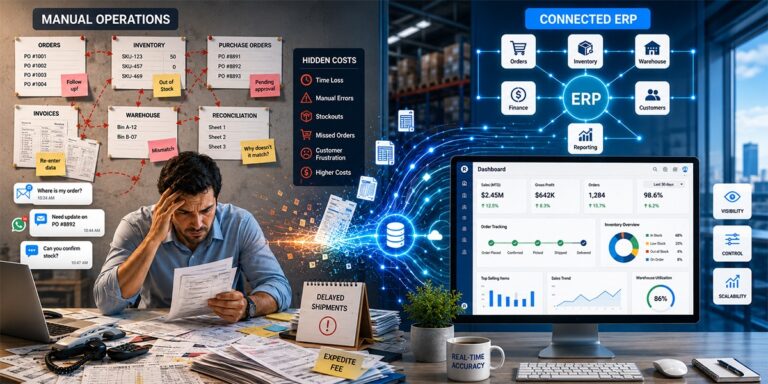
Today’s businesses operate in a highly dynamic environment where success is determined by speed, precision, and scalability. Many businesses continue to use antiquated systems that weren’t suited for contemporary digital workflows. These outdated platforms frequently result in operational delays, data silos, and inefficiencies.
For businesses looking to alter their operations, ERP Migration has emerged as a crucial first step. Businesses can automate procedures, lower manual error rates, and enhance departmental data visibility by switching from outdated systems to contemporary enterprise platforms.
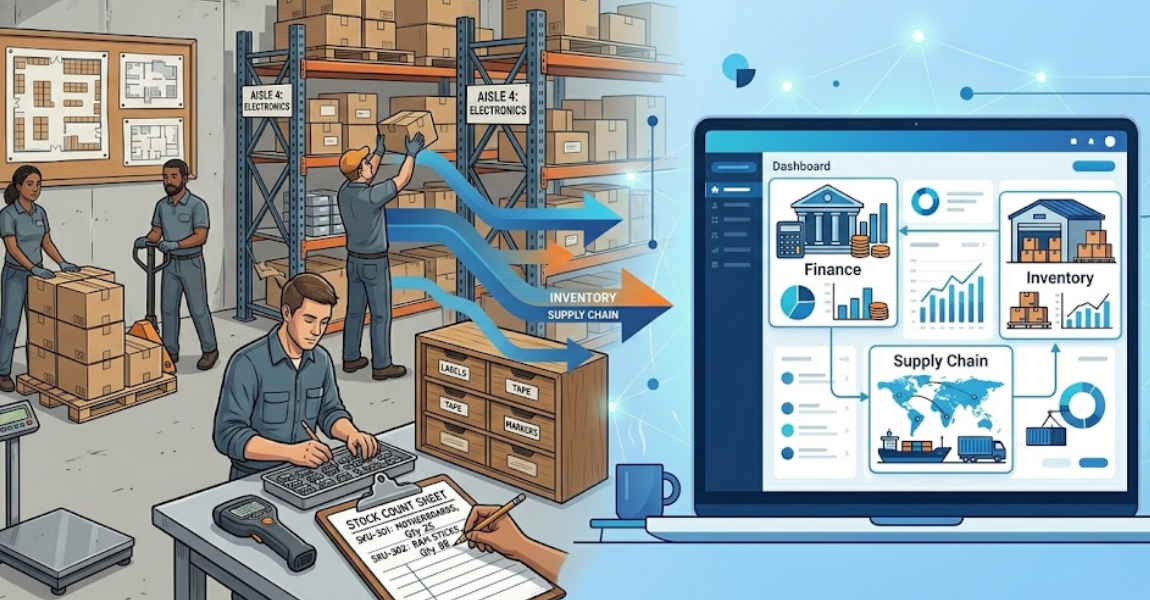
Companies may consolidate activities like finance, inventory management, supply chain coordination, and customer management with the help of a well-planned ERP Migration. Teams have access to a centralized platform that facilitates real-time decision making rather than dealing with disparate systems.
Successful ERP Migrations frequently result in increased productivity, quicker order processing, greater customer service, and more business scalability for the organization.
What is ERP Migration?
- Understanding the Concept
The term “ERP Migration” describes the process of moving corporate data, workflows, and activities from an old ERP system or legacy platform to a new ERP system.
This procedure entails:
- Transferring data from outdated systems
- Configuring and customizing the system
- Redesigning and optimizing processes
- Integration with current business instruments
- Adoption and training of employees
Why Businesses Choose ERP Migration
When their current systems can no longer support corporate expansion, many firms choose to start ERP Migration.
Typical issues with older systems consist of:
- Errors in manual data entering
- Limited capacity for automation
- Inability to integrate with contemporary tools
- Slow reporting and analytics
- Challenges with scaling operations
Businesses can replace antiquated workflows with automated procedures that increase accuracy and productivity through ERP Migration.
Even a minor data entry error might cause financial losses, particularly for distribution organizations. These dangers are removed and dependable automation is introduced by switching to a contemporary ERP platform.
Key Benefits of ERP Migration
- Improved Operational Efficiency
The capacity to streamline departmental activities is a significant benefit of ERP Migration. Workflows that are automated guarantee data consistency and minimize manual labor.
Among the operational enhancements are:
- Automatic tracking of inventory
- Order processing in real time
- Financial reporting that is centralized
- Quicker handling of procurement
When an ERP Migration is finished, businesses frequently experience instant productivity gains.
In legacy systems, data fragmentation is a prevalent issue. All company data is integrated into a single platform after an ERP Migration is accomplished.
This makes it possible for companies to:
- Monitor performance indicators
- Track patterns in sales
- Examine operating expenses
- More precise demand forecasting
Making decisions more quickly and confidently is a result of improved data visibility.
- Reduced Operational Errors
Costly errors can occur in manual processes. Businesses can automate tedious activities and decrease human error using ERP Migration.
Accuracy is increased by automation in areas like:
- Inventory control
- Processing orders
- Price for customers
- Tax computations
These enhancements are particularly beneficial for distributors that oversee thousands of products.
ERP Migration for Distribution Businesses
Supplier coordination, inventory control, pricing management, and client order processing are just a few of the many operations that distribution businesses manage.
During ERP Migration, a distribution-specific ERP platform becomes quite important.
The following are significant advantages for distributors:
- Pricing tailored to each customer
- Flexible business processes
- Sophisticated tracking of inventories
- Management of state taxes and reporting
- Order processing in real time
Following ERP Migration, these features guarantee the seamless and effective operation of distribution operations.
Additionally, a lot of contemporary ERP systems enable enterprises to launch new systems in a matter of weeks as opposed to months.
Integrating ERP Migration with B2B Ecommerce
Consumers nowadays anticipate easy online shopping. Companies that continue to use manual order processes run the risk of losing clients to rivals.
To facilitate digital ordering during ERP Migration, businesses frequently incorporate B2B e-commerce capabilities.
Among the main benefits of e-commerce are:
- Pricing tailored to each customer
- Capability for bulk ordering
- Online ordering around-the-clock
- Automatic adjustments to inventory
- Smooth order processing
Businesses can control backend operations and online sales from a single platform when e-commerce platforms link with ERP systems during ERP Migration.
This enables businesses to offer goods constantly, even after hours.
Supporting Digital Marketing After ERP Migration
Integrated corporate systems increase the effectiveness of digital marketing.
Organizations gain access to precise customer and product data after completing ERP Migration, which helps enhance marketing tactics.
Marketing departments can use this information to:
- Encourage the introduction of new products
- Inform clients about replenished supply
- Construct focused advertising campaigns
- Expand into new geographical markets
Contemporary marketing tactics frequently consist of:
- Campaigns for email marketing
- SMS notifications
- Announcements of new products
- Techniques for promoting trade shows
Businesses can increase demand for their products by integrating marketing automation with insights gleaned from ERP Migration.
Maintaining Ecommerce Platforms After ERP Migration
Starting an online store is just the first step. The platform is kept lucrative and competitive through ongoing maintenance.
E-commerce systems must be constantly maintained by businesses who connect them during ERP Migration.
Among the crucial maintenance tasks are:
- Real-time product pricing updates
- Preserving the correctness of inventory
- Swiftly fixing technical problems
- Enhancing the functionality of websites
E-commerce platforms are kept safe, dependable, and customer-focused through routine system maintenance.
POS Integration and ERP Migration
POS system integration during ERP Migration is very beneficial for retail and hybrid organizations.
Real-time sales and inventory synchronization is made possible by point-of-sale systems linked to ERP platforms.
Among the main benefits of POS are:
- Quicker checkout procedures
- Modifications to the inventory in real time
- Automated tax computations
- Management of loyalty and rewards
- Analytics and reporting for sales
Businesses that incorporate point-of-sale (POS) connectivity into their ERP Migration strategy benefit from total visibility across digital and physical sales channels.
Quick Commerce and ERP Migration
Convenience and speed are becoming more and more important in modern commerce. Consumers anticipate easy ordering processes and quick product availability.
Companies can quickly build online stores by implementing fast commerce capabilities using ERP Migration.
Among the quick commerce characteristics are:
- One-day store openings
- Updates on prices in real time
- Options for delivery and pickup
- Platforms for ordering that are mobile-friendly
- Synchronized systems for inventory
These features enable companies to retain operational efficiency while reacting swiftly to customer demand.
Challenges Businesses Face During ERP Migration
ERP Migration has numerous benefits, but it also comes with difficulties that need to be carefully considered.
Typical difficulties consist of:
- Intricacy of data migration
- Problems with system integration
- Standards for employee training
- Brief interruptions to workflow
Through careful planning, professional advice, and methodical execution techniques, successful firms overcome these obstacles.
Best Practices for Successful ERP Migration
In order to achieve a seamless implementation, businesses planning ERP Migration should adhere to established methodologies.
- Define Clear Business Goals
Organizations must decide what they hope to accomplish with ERP Migration, such as more customer management, better reporting, or increased efficiency.
Businesses should examine and clean their current data to verify correctness before starting the move.
Workers need to know how to use the new system efficiently. After ERP Migration, adoption is seamless thanks to training programs.
- Choose the Right Technology Partner
The likelihood of a successful migration is greatly increased when working with knowledgeable ERP experts.
Future Trends in ERP Migration
Modern ERP platforms are becoming more sophisticated and interconnected as technology continues to advance quickly.
ERP Migration will be impacted by the following future innovations:
- Business analytics powered by AI
- Forecasting predictive inventories
- Automated management of workflow
- Sophisticated e-commerce integrations
Early adoption of contemporary ERP technologies will give businesses a significant competitive edge in their respective markets.
Conclusion: Transform Your Business with ERP Migration
Businesses are frequently prevented from realizing their full potential by legacy systems. Growth is unnecessarily hampered by ineffective workflows, disjointed data, and manual procedures.
Organizations can update their processes, automate workflows, and gain full visibility into business performance with a strategic ERP Migration.
Modern ERP systems give businesses the tools they need to function effectively in today’s cutthroat market, from inventory management and financial reporting to e-commerce connectivity and marketing automation.
By building scalable, data-driven business environments, businesses that invest in ERP Migration set themselves up for long-term success.
Now is the moment to take action if your company is prepared to remove operational inefficiencies, boost productivity, and install a cutting-edge ERP system made for expanding companies.
To learn how our ERP solutions can integrate your e-commerce platforms, optimize your operations, and promote long-term business growth, schedule a consultation with our experts right now.








 Get Started